


Volume is not so good. Not able to hear voice in a good way while on two wheeler. It is the only issue. And every 1 min audio pauses. Other things are good
New Launch
-


-

 New Launch
 -


-


-


-


-


-


-


-


-

 New Launch
Seeq
New Launch
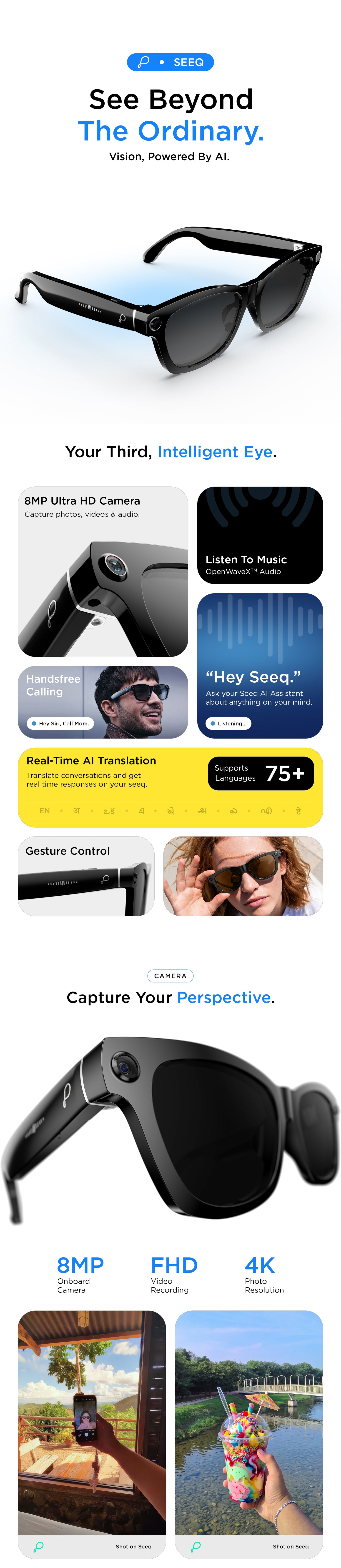
8MP Ultra HD Camera
OpenWaveX™ Audio
AI Live Translation
AI Smart Glasses | 8MP HD Camera, OpenWaveX™ Audio, BT Calling, FHD Video Recording, AI Live Translation
- Regular price
-
₹ 8,999.00
- Sale price
-
₹ 8,999.00
- Regular price
-
M.R.P.:₹ 12,999.00
(31% Off)
Inclusive of all taxes
Free Shipping.
Join the Waitlist & Get an Extra 5% Off
Couldn't load pickup availability
 Free Shipping
 1 Year Warranty
 Secure Checkout
Bulk Order Query


Seeq
Crystal Black


Specifications
Product Information
- PWH03 SeeQ
- Generic Product Name : Smart Glasses
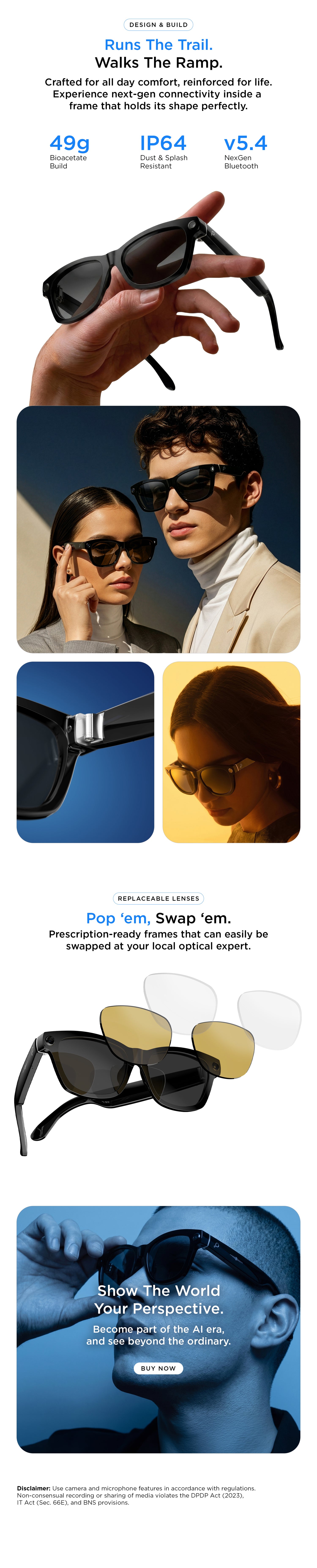
- Bluetooth : 5.4
- Play time : Up to 6 Hours
- Standby Time : Up to 15 Days
- Charging Type : Magnetic Charging
- Water Resistance : IP64 Dust & Splash Resistant
- Camera : 8MP Ultra HD Camera
- Others : Smart AI, Touch & Gesture Control, Advanced BT Calling, Smart AI image recognition, Dual, open ear speakers
- Note : Lenses can be replaced as per optical prescription.
- Dimension : 20.2x7.2x8.2 cm
- Weight : 240g
- Country of Origin : China
- Imported & Marketed By: SRK Powertech Pvt Ltd A-12, Hoseiry Complex Phase-2, Noida,UP-201305
SALES PACKAGE
- 1
- Inside the Box:1N Smart Glasses, 1N Magnetic Charger, 1N Warranty Card, 1N User Manual
CUSTOMER CARE & WARRANTY
- It comes with 12 months Warranty. To claim the Warranty, kindly register the product on pebblecart.com within 10 days of your purchase.
- Covered in Warranty: Manufacturing Defects
- Not Covered in Warranty: Physical Damage, Water Damage
- Domestic Warranty: 1 Year Warranty
- Customer Care: support@pebblecart.com/+91 8800271651 for all technical support.
Download User Manual
For easy access to product information and get the most out of your product.
FAQs
How do I trigger and activate the AI Voice Assistant?
Where do I adjust preferences and settings for the AI Assistant?
What if "Hey Seeq" isn't responding?
How do I take photos and record videos?
How do I import photos and videos to my smartphone's gallery?
How does real-time AI translation work?
Customer Reviews
Overall rating: 4.4 / 5 from 20 reviews.
If you're into content creation, these are fun. POV recording feels natural and you don't look like you're constantly filming with a phone. Camera quality is decent in daylight

Camera quality is fine in good lighting. For regular calls & audio they work well
Design is different nd comfortable however in a noisy outdoor environment I found the audio less powerful
The case is small and easy to carry sound quality is good at normal indoor volume.
Maine mainly comfort ke liye liye the and they do the job well
Good 1stgen type experience Hardware is cool camera works well outdoors and calls are clear
For podcasts and callsthese are great
The open design is useful when you need to stay aware of your surroundings
The glasses dont scream “tech product”which is honestly the best part
Design is nice and they are very comfortable bt the sound feels a little less immersive
probably the most fun gadget I'v bought recently ?? Photos from your own POV feel way more natural
Battery performance has been okay so far
I lyk using thm while working because i can hear people around me
Mera order expected date ke baad deliver hua
Loved the open-ear concept
Avrage, at normal volume its not much of an issue
Not gonna lie i bought them because they looked cool. Ended up actually using them ?? Calls, music n quick videos all work nicely
Comfortable lightweight and easy to use
Price ke hisaab se decent open-ear earbuds hain. Fit stable hai, calls clear hain and charging case bhi compact ha
